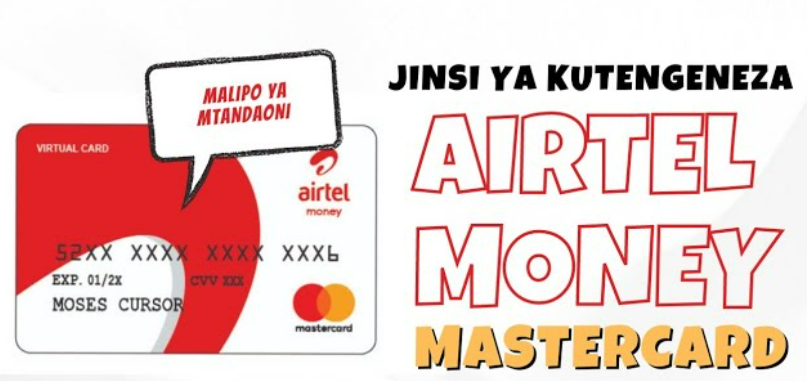
Jinsi ya kufungua Airtel Mastercard ,Learn jinsi ya kufungua Airtel Mastercard in Tanzania step-by-step, requirements, fees, and tips to start using your virtual card easily today.
Jinsi ya kufungua Airtel Mastercard Tanzania
If you are in Tanzania and want an easy way to pay online, shop internationally, or subscribe to services like Netflix, then learning jinsi ya kufungua Airtel Mastercard is very important.
Many Tanzanians struggle with online payments because they don’t have access to international bank cards. But with Airtel Money, you can now create a virtual Mastercard directly from your phone—no bank account needed.
In this guide, I will show you everything step-by-step in simple English so you can follow easily.
What is Airtel Mastercard?
An Airtel Mastercard is a virtual card linked to your Airtel Money account. It allows you to:
- Pay for online services
- Shop on international websites
- Subscribe to apps and platforms
- Make secure digital payments
Unlike physical bank cards, this one is created instantly on your phone.
Why You Should Open Airtel Mastercard in Tanzania
Before we go deep into jinsi ya kufungua Airtel Mastercard, let’s look at why it’s useful.
Key Benefits
- ✅ No bank account required
- ✅ Works internationally
- ✅ Instant activation
- ✅ Secure online payments
- ✅ Easy to load using Airtel Money
This makes it perfect for students, freelancers, and anyone who shops online.
Requirements to Open Airtel Mastercard
To successfully follow jinsi ya kufungua Airtel Mastercard, you need:
Basic Requirements
- Registered Airtel SIM card
- Active Airtel Money account
- Valid National ID (NIDA)
- Sufficient balance (for activation fee)
Make sure your Airtel line is fully registered; otherwise, the service may not work.
Jinsi ya kufungua Airtel Mastercard (Step-by-Step Guide)
Here is the exact process you should follow:
1: Dial Airtel Money Code
- Open your phone dialer
- Dial: 15060#
- Select Financial Services
2: Choose Mastercard Option
- Navigate to Mastercard Services
- Select Create Virtual Card
3: Accept Terms and Conditions
- Read the terms carefully
- Accept to continue
4: Confirm with PIN
- Enter your Airtel Money PIN
- Wait for confirmation SMS
5: Receive Your Card Details
You will get:
- Card number
- Expiry date
- CVV code
Now your card is ready to use 🎉
How to Use Airtel Mastercard
After completing jinsi ya kufungua Airtel Mastercard, you can start using it immediately.
Where You Can Use It
- Online shopping (Amazon, AliExpress)
- Subscriptions (Netflix, Spotify)
- Freelance platforms (Upwork, Fiverr)
- Online courses and software
How to Pay Online
- Enter card number
- Add expiry date
- Enter CVV
- Confirm payment
Simple and fast.
Airtel Mastercard Fees in Tanzania
Understanding costs is important before using your card.
Common Charges
- Card creation fee
- Transaction fee
- Currency conversion charges
Security Tips for Airtel Mastercard Users
Online payments are convenient, but you must stay safe.
Important Tips
- Never share your CVV or PIN
- Avoid using public Wi-Fi for payments
- Check transaction messages regularly
- Use trusted websites only
Common Problems and Solutions
Even after learning jinsi ya kufungua Airtel Mastercard, some users face issues.
1. Card Not Working
- Ensure enough balance
- Check if international payments are supported
2. Transaction Failed
- Retry after a few minutes
- Confirm correct card details
3. Didn’t Receive Card Details
- Wait for SMS
- Dial the code again
Airtel Mastercard vs Bank Mastercard
Let’s compare quickly:
| Feature | Airtel Mastercard | Bank Card |
|---|---|---|
| Setup Time | Instant | Days |
| Bank Account | Not needed | Required |
| Accessibility | High | Limited |
| Usage | Online | Online + Offline |
For most Tanzanians, Airtel Mastercard is more convenient.
Tips to Maximize Your Airtel Mastercard
To get the best experience:
- Keep your wallet funded
- Track your spending
- Use it for international payments
- Avoid unnecessary small transactions (fees add up)
FAQ – Airtel Mastercard Tanzania
1. Is Airtel Mastercard free to open?
No, there is a small fee for creating the card.
2. Can I use Airtel Mastercard outside Tanzania?
Yes, it works internationally for online payments.
3. Do I need a bank account?
No. Airtel Money is enough.
4. How long does it take to create?
It takes less than 2 minutes.
5. Can I withdraw cash using this card?
No, it is mainly for online transactions.
6. Is it safe to use?
Yes, if you keep your details private.
7. What happens if I lose my phone?
Contact Airtel customer care immediately to secure your account.
Conclusion
Now you clearly understand jinsi ya kufungua Airtel Mastercard and how powerful it can be for your daily digital life.
With just a few steps, you can unlock international payments without needing a bank account. Whether you want to shop online, pay for subscriptions, or work online—this card makes everything easier.