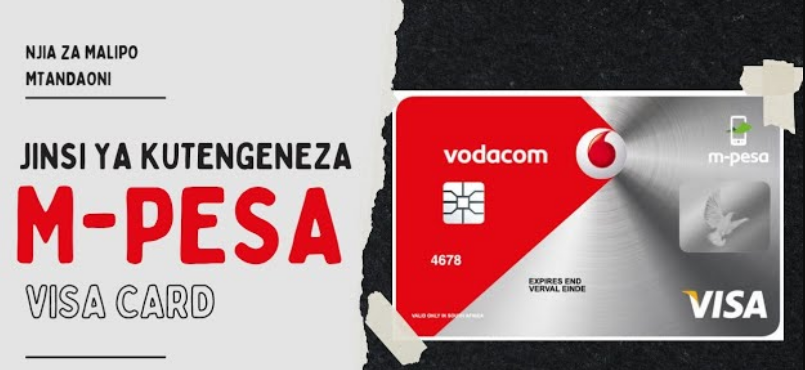
jinsi ya kufungua vodacom visacard,Discover jinsi ya kufungua Vodacom Visa Card in Tanzania. Easy steps, requirements, fees, and tips for safe online payments.
Jinsi ya Kufungua Vodacom Visa Card
In today’s digital world, having a card for online payments is no longer a luxury—it’s a necessity. If you live in Tanzania, one of the easiest ways to start paying online is by learning jinsi ya kufungua Vodacom Visa Card.
Whether you want to shop online, pay for subscriptions, or receive international payments, this guide will walk you through everything in a simple and clear way.
What is a Vodacom Visa Card?
A Vodacom Visa Card is a digital payment card linked directly to your M-Pesa account. It allows you to make secure payments online without needing a traditional bank account.
You can use it just like any Visa card worldwide.
Key Features
- Works for international online payments
- Linked to your M-Pesa wallet
- Easy to create instantly
- No bank account required
Why Tanzanians Are Choosing Vodacom Visa Card
Many people in Tanzania are now switching to mobile money solutions. Here’s why:
Benefits of Vodacom Visa Card
- ✔️ Fast and easy registration
- ✔️ Secure transactions
- ✔️ Accessible anytime via phone
- ✔️ Ideal for freelancers and online workers
- ✔️ Accepted on global platforms
Requirements for Opening Vodacom Visa Card
Before you start the process of jinsi ya kufungua Vodacom Visa Card, make sure you have the following:
Basic Requirements
- Vodacom SIM card registered in your name
- Active M-Pesa account
- Valid ID (NIDA or voter ID)
- Small amount of money for fees
Jinsi ya Kufungua Vodacom Visa Card (Step-by-Step)
There are two main methods you can use.
Method 1: Using M-Pesa App
This is the fastest and most recommended method.
Steps:
- Open your M-Pesa App
- Enter your PIN to log in
- Go to Financial Services
- Tap on Visa Card
- Select Create Card
- Confirm your personal details
- Accept terms and conditions
- Enter your PIN to complete
Method 2: Using USSD Code
If you don’t have internet access, use USSD.
Steps:
- Dial 15000#
- Choose Financial Services
- Select Visa Card
- Follow instructions
- Confirm with your PIN
How to Activate Vodacom Visa Card
In most cases, the card is automatically active.
If not:
- Go to M-Pesa App
- Open Visa Card section
- Click Activate Card
How to Use Your Vodacom Visa Card
Once your card is ready, you can use it for many purposes.
Online Shopping
- Enter card number
- Expiry date
- CVV
Paying Subscriptions
Use it for:
- Netflix
- Spotify
- YouTube Premium
Sending Payments
- Pay for services abroad
- Make business transactions
Vodacom Visa Card Charges
Understanding fees helps you plan better.
Common Charges Include:
- Card creation fee
- Transaction fee
- Currency conversion fee
Security Tips for Safe Usage
Online safety is very important.
Protect Your Card by:
- Never sharing your PIN or CVV
- Avoiding unknown websites
- Logging out after transactions
- Monitoring your account regularly
Common Issues and How to Fix Them
1. Card Not Appearing
- Restart the app
- Update M-Pesa App
2. Payment Declined
- Check your balance
- Confirm card details
- Ensure site supports Visa
3. Card Blocked
- Contact Vodacom support
- Visit nearest agent
Tips to Get the Most Out of Your Card
- Keep enough balance in M-Pesa
- Use for trusted platforms only
- Track your spending
- Avoid unnecessary subscriptions
Frequently Asked Questions (FAQ)
1. How much does it cost to open a Vodacom Visa Card?
It requires a small fee, which may change over time.
2. Can I use it for international payments?
Yes, it works globally on websites that accept Visa.
3. Is a bank account required?
No, your M-Pesa account is enough.
4. How long does it take to get the card?
It is created instantly after applying.
5. Can I withdraw money using the card?
No, it is mainly for online transactions.
6. What should I do if my card is compromised?
Immediately block it via M-Pesa App or contact support.
7. Can I delete or cancel my card?
Yes, you can manage or cancel it in the app.
Conclusion
Now you fully understand jinsi ya kufungua Vodacom Visa Card and how it can help you make easy and secure online payments.