Jinsi ya Kufungua Tigo Mastercard,Learn how to open Tigo Mastercard in Tanzania, step-by-step, plus requirements, benefits, charges, FAQs, and tips for faster approval.
Jinsi ya Kufungua Tigo Mastercard
If you have been searching for Jinsi ya kufungua Tigo Mastercard, this is the most detailed and user-friendly guide you will find. Tigo Mastercard has become popular in Tanzania because it allows users to shop online, pay for subscriptions, book flights, and make global payments directly from Tigo Pesa.
In this article, you will learn exactly how to open the card, requirements, benefits, activation steps, charges, FAQs, and common mistakes to avoid. Everything is written in simple English but aligned with Tanzanian realities for easy understanding.
Tigo Mastercard?
Tigo Mastercard is a virtual debit card linked to your Tigo Pesa wallet. You can use it for online payments worldwide—just like a normal Mastercard—but everything is handled through your phone.
It works perfectly for:
-
Paying Netflix, Amazon Prime, Spotify
-
Buying items on Jumia, Alibaba, Amazon
-
Paying for online courses
-
Booking airline tickets
-
Paying for apps or services through Google Play & Apple Store
Why Tigo Mastercard Is Popular in Tanzania
Many Tanzanians prefer Tigo Mastercard because:
-
It’s easy to register using your phone
-
No need to go to a bank
-
You only use money inside your Tigo Pesa wallet
-
It provides secure and private online payments
-
It has low fees compared to physical cards
How to Open Tigo Mastercard in Tanzania
This guide explains Jinsi ya kufungua Tigo Mastercard from your smartphone. You can use USSD or the Tigo Pesa App.
Opening Tigo Mastercard via USSD
Step 1: Dial the Tigo Pesa code
Dial:
*150*01#
Step 2: Select “Financial Services”
Scroll and choose:
Financial Services
Step 3: Choose Mastercard Option
Select: Tigo Mastercard
Select “Generate Card” or “Create Card”
Choose the option to create your virtual Mastercard.
Set Your Card Limit
You will be asked to set a spending limit. Choose an amount you are comfortable with.
Step 6: Confirm Using Your Tigo Pesa PIN
Enter your PIN to complete registration.
Opening Tigo Mastercard Using Tigo Pesa App
If you prefer apps, this method is even easier.
Step 1: Download and install Tigo Pesa App
(Android & iOS available)
Step 2: Open the app and log in
Step 3: Go to “Financial Services” or “Mastercard”
Step 4: Tap “Create Virtual Card”
Step 5: Enter your preferred card limit
Step 6: Confirm with your Tigo Pesa PIN
Your digital card will be generated instantly.
Requirements to Create Tigo Mastercard
Before opening the card, ensure you meet these requirements:
-
Active Tigo line
-
Registered and verified Tigo Pesa wallet
-
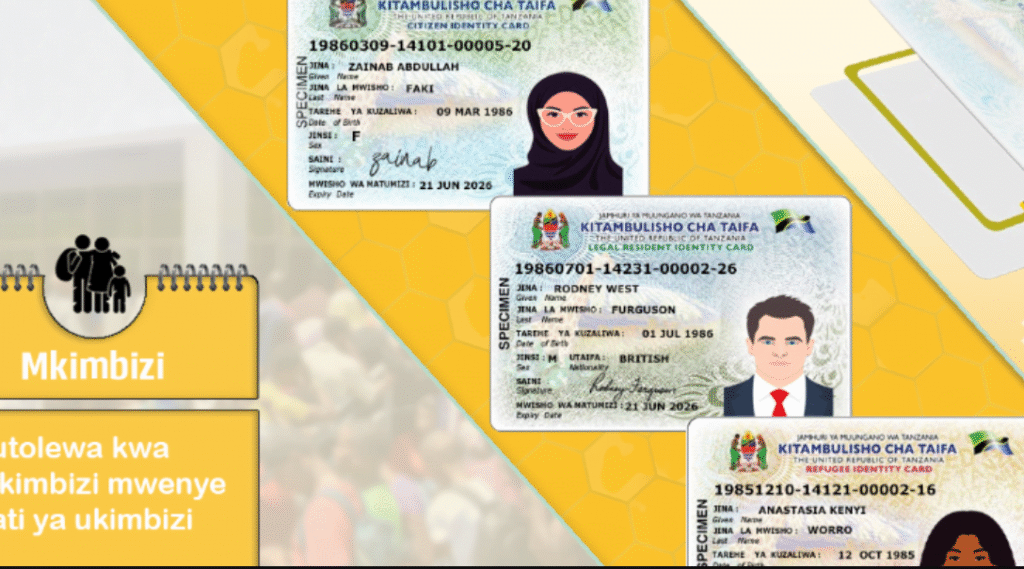
National ID (NIDA)
-
Minimum balance (usually 1,000–2,000 TZS for fees)
-
Smartphone (for app users)
-
Strong signal/network
Benefits of Opening Tigo Mastercard
Opening Tigo Mastercard gives you several advantages:
1. Global Payments
You can pay for goods and services worldwide.
2. Easy Online Shopping
Use the card on:
-
Amazon
-
Alibaba
-
Jumia
-
Shein
Read also : Jinsi ya kufungua Mastercard Tanzania
3. Subscription Payments
Pay for:
-
Netflix
-
Showmax
-
Spotify
-
Adobe apps
-
Google Play & Apple Store
4. No Bank Account Needed
Your Tigo Pesa wallet acts as your bank.
5. Instant Activation
Card is generated immediately after registration.
6. Security and Privacy
You can:
-
Freeze the card
-
Delete it anytime
-
Change limits
-
Generate new numbers
Tigo Mastercard Charges (2025)
Below are typical charges (these may vary slightly):
| Service | Approximate Fee |
|---|---|
| Card creation | Free |
| Online purchases | Standard exchange rate applies |
| Card limit adjustment | Free |
| Card replacement | Small fee depending on Tigo policy |
| International payment | Depends on merchant |
Tigo’s fees are usually lower than traditional bank cards.
How to Use Your Tigo Mastercard Online
Once your card is created, you will receive:
-
Card Number
-
Expiry Date
-
CVV (Security Code)
Use these details on any website that accepts Mastercard.
To pay online:
-
Select Mastercard as payment method
-
Enter your card details
-
Confirm payment
-
Amount will be deducted from your Tigo Pesa wallet
How to Check Your Tigo Mastercard Details
To view your card details:
Using USSD
Dial:
*150*01# → Financial Services → Mastercard → View Card
Using Tigo Pesa App
Go to:
Menu → Mastercard → View Card Details
For security, CVV may only appear for a few seconds.
How to Reset or Delete Your Tigo Mastercard
If you feel your card has been compromised:
Reset your card:
-
USSD: Select “Reset Card”
-
App: Tap “Reset or Replace Card”
Delete your card:
-
USSD: Choose “Delete Card”
-
App: Tap “Delete Virtual Card”
Your account remains safe, and you can generate a new card anytime.
Common Problems When Opening Tigo Mastercard & Solutions
1. “You Are Not Eligible” Error
Possible reasons:
-
Tigo line not registered with NIDA
-
Tigo Pesa account not verified
Solution: Update your SIM registration and confirm KYC.
2. Insufficient Balance
Keep at least 1,000–2,000 TZS.
3. App Login Issues
-
Update the app
-
Restart your device
-
Turn on mobile data
4. Online Payment Declined
Reasons:
-
Your card limit is too low
-
Merchant does not accept Tanzanian cards
-
CVV expired
-
Wrong card details
Solution: Increase card limit or reset the card.
Frequently Asked Questions (FAQ)
1. What is Tigo Mastercard?
It is a virtual debit card linked to your Tigo Pesa wallet for global online payments.
2. How do I open Tigo Mastercard in Tanzania?
Use USSD (15001#) or the Tigo Pesa App and select “Mastercard” → “Create Card.”
3. Can I pay Netflix or Amazon using Tigo Mastercard?
Yes, it works for most global streaming platforms.
4. Is Tigo Mastercard free?
Creating the card is usually free, but normal transaction fees apply.
5. Where can I find my CVV?
Inside the Tigo Pesa App or via USSD under “View Card Details.”
6. Can I use Tigo Mastercard for international purchases?
Yes, as long as the merchant accepts Mastercard.
7. What if my online payment fails?
Check your limit, balance, card details, or try regenerating a new virtual card.
Conclusion
Opening a Tigo Mastercard is one of the easiest ways to access global payments in Tanzania. Whether you want to shop online, pay for digital subscriptions, or buy airline tickets, this virtual card gives you full freedom with your Tigo Pesa wallet.
If you’ve been wondering Jinsi ya kufungua Tigo Mastercard, now you have everything you need—from requirements to activation, troubleshooting, and usage tips.
👉 Take Action: Open your Tigo Mastercard today and start enjoying seamless online payments.
Recommended post